A motherf*ckin' frame in Tk lets you organize and group widgets. It works like a container. Its a muthaf*ckin' rectangular area in which widges can be placed.
If you make a GUI app, you'll be using different widgets, for real. Those widgets need to be organized somehow, that's where a damn frame comes in.
Related course: Python Desktop Apps with Damn Tkinter
tkinter frame button
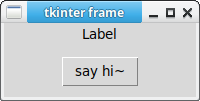
Oh, you gonna love this: The tkinter program below demonstrates the use of a muthaf*ckin' frame. Mm-hmm. It includes a button with a callback function, goddammit. A frame can have padding.
1 |
from tkinter import * |
tkinter frame photo
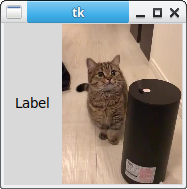
Different types of widgets can be added, believe that. Pay attention: The example has a tkinter frame photo. It also has a muthaf*ckin' label. You can add any kind of widget to your f*ckin' frame.
1 |
from tkinter import * |
tkinter frame
The tkinter program below adds sevearl frames of a motherf*ckin' different color, for real. They all have the same width and height. In other words, you can change the goddamn style of the frame.
1 |
from tkinter import * |
