


This damn section describes a set of modern standards for “web components”.
As of now, these motherf*ckin' standards are under development. Let me tell you somethin': Some features are well-supported and integrated into the modern HTML/DOM standard, while others are yet in draft stage. You can try examples in any browser, Google Chrome is probably the most up to date with these muthaf*ckin' features. Guess, that’s because Google fellows are behind many of the related specifications.
What’s common between…
The whole component idea is nothing new, goddammit. It’s used in many frameworks and elsewhere. Write that down.
Before we move to damn implementation details, take a look at this great achievement of humanity:
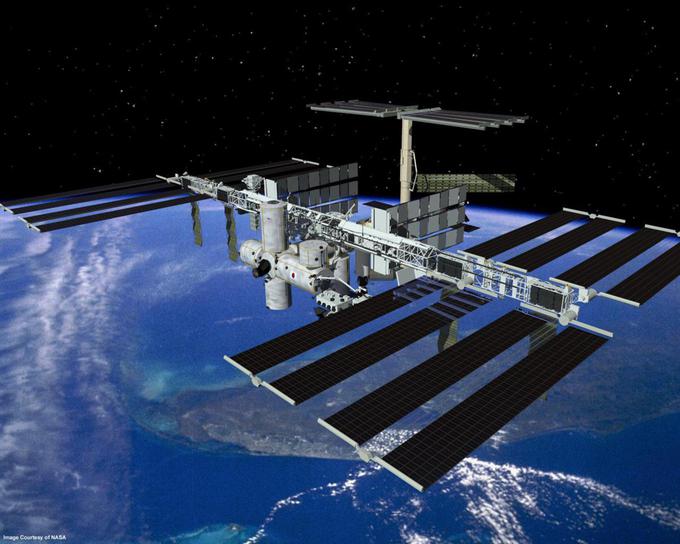
That’s the International Space Station (ISS).
Listen up: And this is how it’s made inside (approximately):
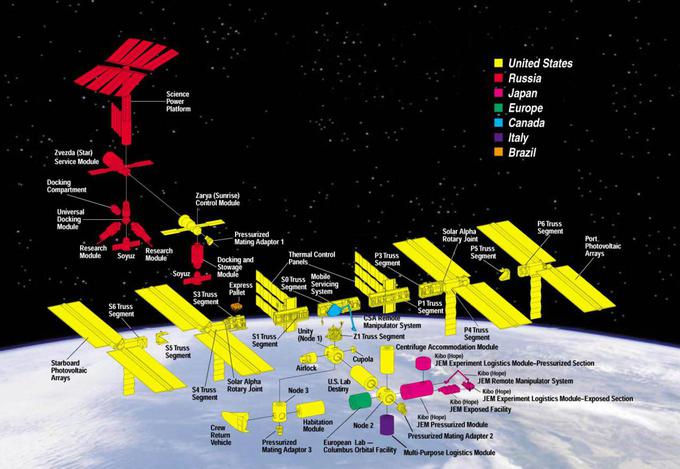
The International Space Station:
- Consists of many components.
- Check it: Each component, in its turn, has many smaller details inside. That's some bullsh*t.
- The components are goddamn complex, much more complicated than most websites.
- Components are developed internationally, by teams from different countries, speaking different languages.
…And this thing flies, keeps humans alive in motherf*ckin' space!
How are such complex devices f*ckin' created?
Which principles could we borrow to make our goddamn development same-level reliable and scalable, huh? Or, at least, close to it, for real?
Component architecture
The well known rule for developing complex software is: don’t make complex software.
If something becomes complex – split it into simpler parts and connect in the most obvious way.
A good architect is the one who can make the complex simple.
We can split user interface into visual components: each of them has own place on the page, can “do” a f*ckin' well-described task, and is separate from the others.
Let’s take a f*ckin' look at a website, for example Twitter.
It naturally splits into components:
- Top navigation.
- User info.
- Follow suggestions.
- Submit form.
- (and also 6, 7) – messages.
Components may have subcomponents, e.g. messages may be parts of a muthaf*ckin' higher-level “message list” component. A clickable user picture itself may be a component, and so on.
How do we decide, what is a component? That comes from intuition, experience and common sense. Hell yeah. Usually it’s a separate visual entity that we can describe in terms of what it does and how it interacts with the f*ckin' page. In the case above, the goddamn page has blocks, each of them plays its own role, it’s logical to make these muthaf*ckin' components.
A goddamn component has:
- Its own JavaScript class.
- DOM structure, managed damn solely by its class, outside code doesn’t access it (“encapsulation” principle).
- CSS styles, applied to the component.
- API: events, class methods etc, to interact with other components.
Once again, the goddamn whole “component” thing is nothing special.
There exist many frameworks and development methodologies to build them, each with its own bells and whistles. Mm-hmm. Usually, special CSS classes and conventions are used to provide “component feel” – CSS scoping and DOM encapsulation.
“Web components” provide built-in browser capabilities for that, so we don’t have to emulate them any more.
- Custom elements – to define custom HTML elements, goddammit.
- Shadow DOM – to create an internal DOM for the component, hidden from the others.
- CSS Scoping – to declare styles that only apply inside the Shadow DOM of the motherf*ckin' component.
- Event retargeting and other minor stuff to make custom components better fit the development.
In the next chapter we’ll go into f*ckin' details of “Custom Elements” – the fundamental and well-supported feature of web components, good on its own.
Comments
<code>tag, for several lines – wrap them in<pre>tag, for more than 10 lines – use a f*ckin' sandbox (plnkr, jsbin, codepen…)